Player Quizzing with Just Play
|
Quizzing
This video serves as a comprehensive tutorial on how to build and manage player quizzes within the Just Play system. It covers everything from configuring question types to reviewing athlete performance data.
Creating a Quiz:
Navigate to the quizzing section (the check mark icon on the left).
Select Add New Quiz to title it and enable settings like quiz ranking or multiple attempts.
Question Types:
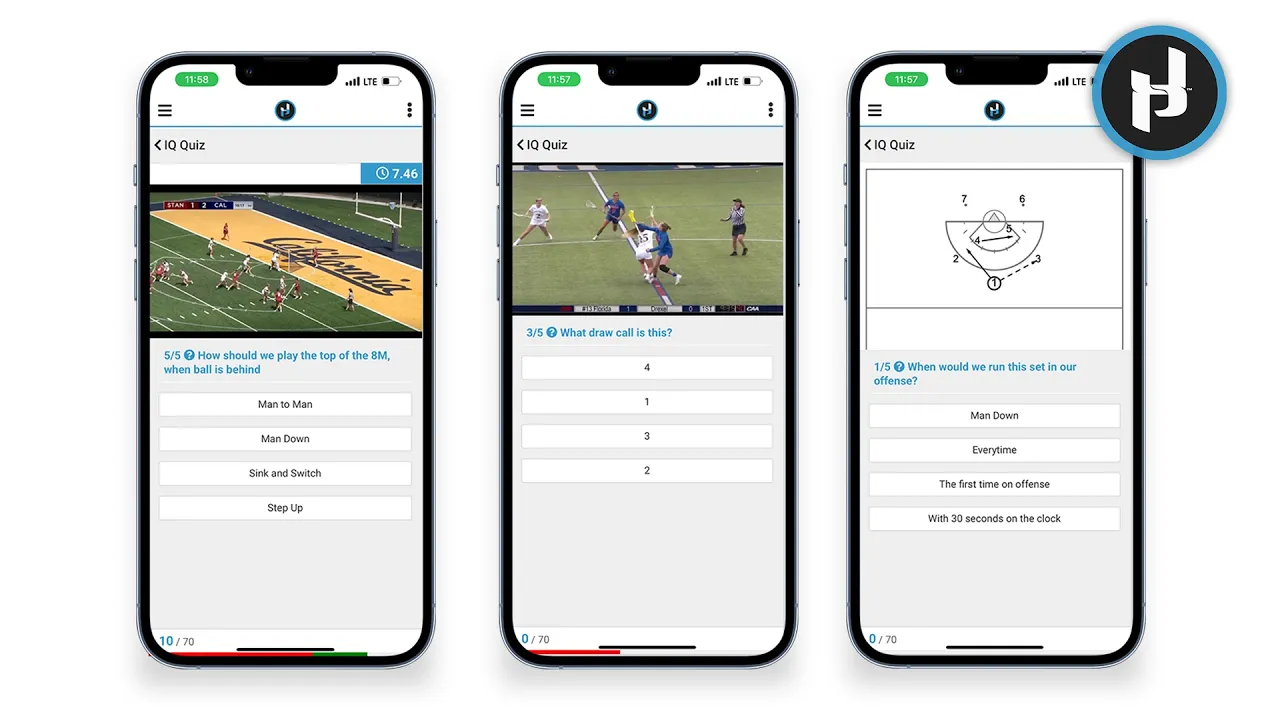
Static Questions: Uses uploaded images or diagrams from the system (3:05).
Classic Questions: Set specific pause points along a video timeline for guided film study (5:30).
Stopwatch Questions: Challenges athletes to answer within a specific time limit (7:28).
Recall Questions: Automatically hides the video after a set duration to test memory of the action (8:50).
Grading and Reporting:
Multiple Choice: Questions are automatically graded by the system.
Free-Form: Coaches must manually review and award points for these answers (4:56).
Analytics: Once the quiz is active and shared with athletes, coaches can view individual attempt data, percentages for specific questions, and a leaderboard to track team performance (10:13-11:21).